
ROS Explained: Everything You Need to Know About Robot Operating System
What a Robotics Operating System Actually Does (And What It Doesn't)
Your team has working perception. Your hardware drivers initialize cleanly. Your reinforcement learning policy converged beautifully in simulation last week. And yet — the trained skill still cannot run on the physical arm sitting two meters from your desk. The bridging code, the message translation, the timing reconciliation between a 30 Hz inference loop and a 1 kHz joint controller — none of it is written. The missing layer everyone assumes "just works" is the robotics operating system itself.
ROS is the de facto standard for that layer. ROS1 reached end-of-life in May 2025 per the ROS 2 Official Documentation, and ROS2 long-term support releases now extend through 2032. Any team shipping new code on ROS1 today is building on unsupported infrastructure. Any team treating ROS2 as a complete robot platform is misreading what it actually delivers.
What follows maps what a robotics operating system actually does, where it stops, and how trained skills cross the gap from simulation to deployed hardware. The goal is architectural clarity — enough that your next sprint plan allocates engineering hours to the right layer.
Table of Contents
- What a Robotics Operating System Actually Does (And What It Doesn't)
- ROS1 vs ROS2 — Why the Migration Is No Longer Optional
- Nodes, Topics, Services, Actions — The Four Primitives That Run Every Robot
- The Real-Time Problem ROS Does Not Solve Alone
- From Laptop to Fleet — The Operational Realities of Production ROS
- Where Trained Skills Meet the Robotics Operating System
- Your ROS2 Readiness Checklist
- Questions Robotics Teams Ask About the Operating System Layer
Engineers say "ROS is my robot's operating system" all the time. The phrasing is wrong in a literal sense, and the error has architectural consequences. Linux is the operating system — typically Ubuntu 22.04 LTS when you are running ROS2 Humble. ROS is a message-passing middleware and development framework that runs on top of Linux. The distinction matters because it tells you which layer to debug when something fails.
The abstraction stack of a modern robotics operating system deployment reads from bottom to top like this:
- Hardware — sensors, actuators, and compute. On the compute side: NVIDIA Jetson Orin Nano, Jetson AGX Orin, or x86 industrial PCs.
- Linux kernel — Ubuntu 22.04 LTS in most production deployments, optionally with PREEMPT_RT real-time patches applied.
- Hardware drivers — LiDAR drivers, motor controllers, camera SDKs. These talk directly to silicon.
- ROS middleware — DDS in ROS2 (FastDDS, CycloneDDS, or RTI Connext); custom TCPROS/UDPROS in ROS1.
- Application nodes — perception, planning, control, skill policies. Where your differentiated logic lives.
What ROS actually provides at the middleware layer is narrower than most teams assume. It standardizes message formats so a node written in C++ by your perception team can talk to a Python node written by your planning team. It provides a discovery mechanism — the ROS Master in ROS1, DDS discovery in ROS2 — so nodes can find each other without hardcoded endpoints. It ships a package management and build system (colcon for ROS2, catkin for ROS1) and a tooling layer for introspection: rqt_graph for topology inspection, ros2 bag for log capture, ros2 topic hz for frequency measurement. On top of those primitives sit the well-known package ecosystems — Nav2 for navigation, MoveIt2 for manipulation, ros2_control for hardware abstraction.
What ROS does not provide is equally important to internalize. It does not deliver real-time guarantees by itself — per robotics consultancy Aitronik, "ROS 1 was not designed with the safety, scalability, and real-time requirements needed for many production-level applications," and while ROS2 improves on that significantly, achieving hard real-time still requires a tuned RT kernel, CPU isolation, and careful QoS configuration. It does not include machine learning training or inference frameworks — there is no built-in reinforcement learning, no imitation learning, no policy distillation. It does not provide fleet orchestration, monitoring, or over-the-air updates at production scale. It does not deliver safety certification — ISO 13849 or IEC 61508 compliance requires additional hardware and software layers that ROS itself cannot satisfy.
Here is a concrete example of what ROS does coordinate. A LiDAR scan arrives at the Velodyne or Ouster hardware driver. The driver publishes a sensor_msgs/PointCloud2 message on the /lidar/points topic at roughly 10–20 Hz. A perception node subscribes to that topic, processes the cloud, and publishes detected obstacles on /obstacles. A planning node subscribes to /obstacles, computes a safe velocity command, and publishes geometry_msgs/Twist on /cmd_vel. The motor driver subscribes to /cmd_vel and writes setpoints to the motor controllers. ROS coordinates that conversation. Nothing more, nothing less.
Treating ROS as an operating system leads to misallocated engineering effort — teams expect it to solve problems it was never designed to address. Treating it as a middleware layer clarifies what you still need to build or buy: the real-time control path, the skill training pipeline, the fleet operations stack.

ROS is not an operating system. It is a translation layer between your hardware and the skills you want to deploy. Confuse those, and you will spend months debugging the wrong layer.
ROS1 vs ROS2 — Why the Migration Is No Longer Optional
ROS1 Noetic reached end-of-life in May 2025 per the ROS 2 Official Documentation. No further security patches. No bug fixes. No new package releases against Noetic from the core maintainer team. Any team still shipping new code on ROS1 is operating unsupported infrastructure, and the risk profile grows every quarter.
The architectural differences between the two generations are not cosmetic. ROS2 replaces ROS1's centralized ROS Master with a decentralized DDS-based discovery model, removes the single point of failure that the Master represented, and introduces Quality of Service profiles that allow per-topic control over reliability, durability, and deadlines.
| Criterion | ROS1 (Noetic) | ROS2 (Humble / Jazzy) |
|---|---|---|
| Architecture | Centralized ROS Master | Decentralized DDS discovery |
| Communication backbone | Custom TCPROS/UDPROS | Pluggable DDS (FastDDS, CycloneDDS, Connext) |
| Real-time support | Soft real-time only | Hard real-time with QoS + RT kernel |
| Lifecycle management | None built-in | Managed lifecycle nodes |
| Launch system | XML roslaunch | Python/XML/YAML composable launch |
| Security | None native | SROS2 (DDS-Security) encryption and auth |
| OS support | Ubuntu 20.04 only | Ubuntu 22.04, Windows, macOS (partial) |
| Support status | EOL May 2025 | Humble LTS to May 2027; Jazzy LTS to May 2029 |
DDS as a foundation matters because it removes the Master as a single point of failure and exposes QoS knobs that real production systems need. Per Robotics & Automation News, ROS2 was designed from the start for distributed deployment, with companies building custom layers on top of the DDS foundation to meet specific operational requirements. You get RELIABLE versus BEST_EFFORT delivery semantics per topic. You get KEEP_LAST(n) versus KEEP_ALL history. You get deadline and liveliness contracts. None of these existed in ROS1.
Migration is hard in practice, and pretending otherwise has burned multiple engineering teams I have watched. Package availability gaps are real — some legacy ROS1 packages still have no maintained ROS2 equivalent, especially in niche sensor drivers and academic research code. Python 3 and C++17 build changes invalidate large portions of older codebases. Launch file rewrites are mechanical but tedious. According to the migration guide published by robotics consultancy Ekumen Labs, migration cost grows non-linearly with codebase size, and teams that delay past 2026 face compounding technical debt as the surrounding ecosystem moves on.
When does ROS1 still make sense? A frozen academic demo with a fixed runtime that will never be redeployed. A research artifact whose only purpose is to reproduce a published result. Anything else — migrate. The cost of waiting exceeds the cost of doing it.
A transparency note on this section: most published comparisons of ROS1 versus ROS2, including the architectural claims summarized in the table above, originate from vendor or consulting-firm sources. Independent peer-reviewed benchmarks of the two generations under matched hardware conditions remain limited. The directional conclusion — ROS2 is the right target for new work — is sound. The specific performance multipliers you see quoted elsewhere should be tested on your own hardware.

Nodes, Topics, Services, Actions — The Four Primitives That Run Every Robot
Every ROS system, from a hobbyist Roomba clone to a production humanoid, reduces to four communication primitives. Choose wrong at design time and you will rewrite the integration later under deadline pressure. The four primitives are not interchangeable, and the failure modes when you misapply one are subtle enough to ship to production undetected.
-
Nodes — Independent processes, one responsibility each
- Each node is a Linux process with its own memory space and lifecycle.
- Failure isolation is the core benefit: a crashing perception node does not kill motor control.
- Example node graph for a manipulator:
camera_driver,point_cloud_processor,grasp_planner,trajectory_executor,gripper_driver. - Best practice: one node per hardware device, one node per algorithm, no "god nodes" that try to do perception and planning in a single process.
-
Topics — Asynchronous publish/subscribe streams
- Many-to-many semantics: any number of publishers, any number of subscribers, all loosely coupled.
- Best for continuous sensor data, state broadcasts, high-frequency telemetry.
- Typical rates you will see in production:
/camera/image_rawat 30 Hz,/lidar/pointsat 10–20 Hz,/joint_statesat 100–1000 Hz,/tfat 50–200 Hz. - Anti-pattern: using a topic for something that needs a response. There is no built-in acknowledgement.
-
Services — Synchronous request/response calls
- One-to-one, blocking until the response arrives.
- Best for discrete queries: "what is your current pose?", "set this parameter," "reset this filter."
- Anti-pattern: using services for anything that takes longer than a few hundred milliseconds. The caller blocks. If the service node hangs, your caller hangs with it.
-
Actions — Long-running, goal-oriented, cancellable
- Built on topics under the hood, but provide a goal channel, a feedback channel, and a result channel.
- Best for "move arm to pose," "navigate to coordinate," "execute pick sequence" — anything taking seconds to minutes.
- Critical feature: pre-emption. A new goal cancels the old one safely, with the action server responsible for stopping motion cleanly.
The decision table below covers the most common cases I see teams get wrong on first attempt.
| Behavior | Primitive | Why |
|---|---|---|
| Stream depth camera frames | Topic | High-frequency, many subscribers possible |
| Query battery percentage on demand | Service | Discrete request, instant response |
| Execute trajectory with progress updates | Action | Long-running, needs feedback and cancel |
| Broadcast TF transforms | Topic (latched) | Continuous state, all nodes need access |
| Set a parameter at runtime | Service | One-shot configuration change |
| Start an autonomous mission | Action | Multi-minute task, must be cancellable |
The pattern to internalize: topics for state, services for queries, actions for goals. State flows continuously and asynchronously. Queries are point-in-time and synchronous. Goals are intentional, take time, and must be cancellable. Mix these up and your system will work in the lab and fail in the field.
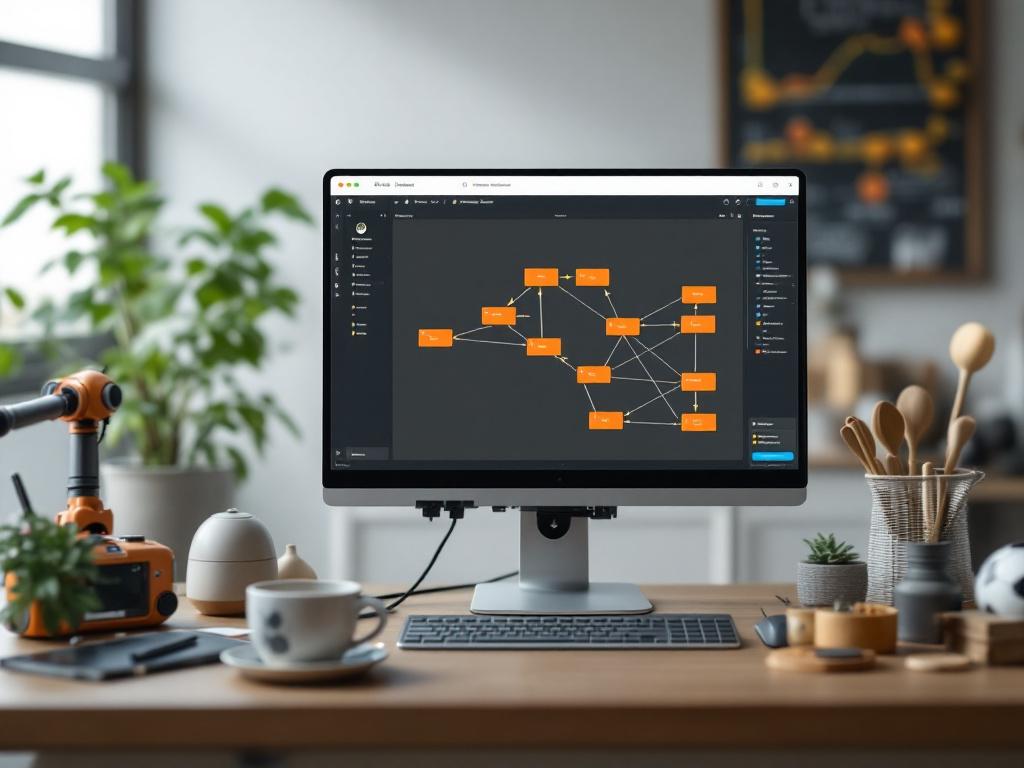
Every ROS system, no matter how complex, reduces to nodes publishing and subscribing. Get the primitive choice right at design time and you will not rewrite it under deadline pressure.
The Real-Time Problem ROS Does Not Solve Alone
Linux is not a real-time operating system by default. ROS2, running on Linux, inherits that limitation. DDS QoS profiles improve determinism but do not deliver hard real-time guarantees on their own. According to Aitronik, ROS2's QoS settings enable hard real-time support only when paired with appropriate kernel and middleware configuration — the QoS knobs alone do not change the underlying scheduler behavior.
| Use Case | Loop Rate | ROS2 Alone? | Required Stack |
|---|---|---|---|
| Warehouse AMR navigation | 10–20 Hz | Yes | Standard ROS2 Humble on Ubuntu 22.04 |
| Mobile manipulator planning | 50–100 Hz | Yes | ROS2 + DDS QoS tuning |
| Quadruped gait orchestration | 50–100 Hz | Partial | ROS2 high-level; vendor RT loop for joints |
| Humanoid whole-body control | 500–1000 Hz | No | PREEMPT_RT + ros2_control + isolated cores |
| Force-controlled assembly | 1 kHz | No | Real-time process outside ROS; ROS2 supervises |
| Safety-rated motion stop | <10 ms guaranteed | No | Hardware safety controller; ROS2 cannot certify |
ROS2 latency comes from four main sources: DDS serialization overhead, kernel scheduling jitter, context switching between userspace nodes, and network stack overhead on multi-machine setups. On stock Ubuntu without tuning, end-to-end latency for a typical pub/sub path lands somewhere in the 1–10 millisecond range with significant tail jitter — meaning your 99th percentile latency can be five to ten times your median.
Mitigation patterns that production teams actually deploy:
- PREEMPT_RT Linux kernel — reduces worst-case scheduling jitter from milliseconds to tens of microseconds. Required for anything tighter than 100 Hz with deterministic deadlines.
- CPU isolation — boot parameter
isolcpusreserves specific cores for critical nodes, and core pinning viatasksetorsched_setaffinitykeeps them there. Removes scheduling contention. - DDS QoS tuning —
RELIABLEplusKEEP_LAST(1)for control commands where the latest matters and dropped messages are unacceptable;BEST_EFFORTfor high-rate sensors where staleness is worse than drops. ros2_control— runs the controller loop in a dedicated thread with hardware interface plugins. The right abstraction for joint-level control inside the ROS2 process model.- Composable nodes — intra-process communication eliminates serialization between nodes that live in the same process. Significant latency win for tightly coupled pipelines.
The hybrid architecture pattern most production teams converge on looks like this. High-level autonomy — perception, planning, skill policies — runs on ROS2. Low-level control — joint torques, motor currents, safety interlocks — runs on a dedicated microcontroller, FPGA, or vendor-supplied real-time SDK. The bridge between them: ROS2 publishes goal poses or velocity commands at 50–100 Hz, and the vendor loop runs at 1 kHz internally, interpolating between setpoints. This is exactly how Unitree quadrupeds, Franka arms, and Universal Robots integrate with ROS2 in practice. ROS wraps the vendor controller; it does not replace it.
When you need to diagnose your own setup, the tools are mature. ros2 topic hz /your_topic gives you average rate and jitter on any topic. ros2 run tracetools_test provides kernel-level tracing through LTTng. cyclictest from the rt-tests package measures raw kernel scheduling latency — run it before blaming ROS for jitter, because nine times out of ten the jitter is coming from the kernel layer, not the middleware.
An honest framing: independent peer-reviewed benchmarks of ROS2 latency across hardware configurations are limited. Most published numbers come from vendor blogs or community write-ups, each with their own configuration choices that may or may not match yours. The decision matrix above reflects directional consensus from production deployments, not a controlled study. Test on your own hardware with your own workload before committing architectural decisions.
From Laptop to Fleet — The Operational Realities of Production ROS
ROS works beautifully on a single machine in a clean lab. Every operational challenge below appears the moment that machine becomes a fleet. The transition from "demo running on my workstation" to "twenty units deployed across three warehouses" is where most ROS programs lose six to twelve months of schedule.
Network Topology and DDS Discovery
ROS2's default DDS discovery uses multicast UDP, which fails on most enterprise WiFi networks and many switched LANs where multicast is filtered or unreliable. Production deployments typically replace the default with FastDDS discovery server mode or CycloneDDS configured with explicit peer lists. Multi-robot deployments require either ROS_DOMAIN_ID isolation (valid range 0–101) or DDS partitions to prevent cross-talk between robots that should not be subscribing to each other's topics. Per Robotics & Automation News, ROS2 was designed for distributed deployment, but the practical configuration burden of getting discovery right on a real network is substantial and often underestimated in early planning.
Containerization and Reproducibility
Docker is now table stakes for ROS2 deployment. A typical production container pins the ROS distro tag (e.g., ros:humble-ros-base), bakes in dependencies via rosdep install at build time, and uses --network host mode so DDS discovery can see the underlying network interfaces. Multi-node deployments orchestrate via Docker Compose for small fleets or Kubernetes (with host networking) for larger ones. Without containerization, a Python dependency update on one robot can silently break communication with the rest of the fleet — a failure mode I have watched bring down a 30-unit warehouse pilot for a full day.
Observability — Beyond rqt_graph
rqt_graph is a development tool, not a production observability stack. Production teams instrument ROS2 with structured logging routed to Loki or the ELK stack, metrics exported to Prometheus (node CPU usage, message rates, dropped frames, latency percentiles), and distributed tracing via OpenTelemetry for request paths that cross multiple nodes. ROS bag files captured via ros2 bag record grow at roughly 10–100 GB per hour depending on sensor streams, so archive and retention policy is a non-trivial design problem — not an afterthought.
Over-the-Air Updates and Rollback
A bad ROS2 package update can brick an entire fleet simultaneously. Production OTA patterns include staged rollout (1% → 10% → 100% of fleet over hours or days), A/B partition schemes (active and standby Linux partitions with automatic fallback on boot failure), and per-node container updates with health checks gating promotion. Rollback must be tested before it is needed, not after. No ROS-native OTA solution exists — teams either build this themselves or buy a fleet management platform that wraps the lower-level mechanics.
Hardware Heterogeneity and Vendor SDKs
ROS abstracts message formats. It does not abstract hardware quirks. A Unitree Go2 requires the Unitree ROS2 SDK and its specific calibration workflow. A Franka FR3 requires franka_ros2 and its real-time control bridge. A Universal Robots arm requires Universal_Robots_ROS2_Driver and its own update cadence. Each vendor SDK has its own integration boilerplate, its own diagnostic patterns, and its own bugs. The "ROS supports any robot" claim is true at the message level — sensor_msgs/JointState looks the same regardless of vendor — and frequently misleading at the integration level. According to Aitronik, custom integration layers remain a significant ongoing cost line for production deployments, and that cost does not go away as the fleet grows.
Where Trained Skills Meet the Robotics Operating System
ROS2 is excellent at moving messages between nodes. It contains no facilities for training a reinforcement learning policy, packaging a trained model, or validating it on hardware. That work happens entirely outside ROS — and bridging it back in has historically been bespoke engineering for every team that has tried.
The conventional skill-to-deployment path has four steps, and step four is where the cost lives.
- Train in simulation. Isaac Sim, MuJoCo, Gazebo, or a custom RL environment. The policy is a PyTorch or JAX model accepting observation tensors (joint states, RGB-D frames, force readings) and producing action tensors (joint velocities, end-effector deltas, gripper commands).
- Wrap the policy in a ROS2 node. A custom Python or C++ node subscribes to the relevant sensor topics, converts ROS messages into the model's expected observation tensor format, runs inference on GPU or CPU, converts the resulting action tensor back into a ROS message (typically
geometry_msgs/Twistortrajectory_msgs/JointTrajectory), and publishes downstream. - Bridge inference timing to control timing. The model may infer at 30–100 Hz. The control loop runs at 500–1000 Hz. The wrapper node typically publishes setpoints that a vendor real-time controller interpolates between, with bounded extrapolation if inference is late.
- Validate on hardware. Teleoperation fallback, software E-stop, safety bounding boxes, telemetry logging, gradual envelope expansion from low-speed motions to full task speed. No standard ROS2 pattern exists for this layer. Every team rebuilds it. Every team makes similar mistakes the first time.
The bottleneck is not any single step. It is the fact that the steps live in three different worlds. Training frameworks like PyTorch and RLlib do not understand ROS message types. The sim-to-real gap means that an Isaac Sim camera produces idealized RGB while a real Intel RealSense produces noisy, rolling-shutter frames at different resolutions and timestamps. Observation and action space mismatches between sim and real hardware require manual remapping. Each new skill repeats the same boilerplate wrapping work, and the wrapping code is rarely well-tested because it sits in the seam between teams.
The integration patterns are now understood at least. Per the academic work documented in the DeepSeek R1 ROS2 manipulation pipeline, integrating modern AI models into ROS2 manipulation systems requires latency-aware node design, deliberate topic subscription strategy for sensor and state data, and action server architecture for control commands — none of which is automated by ROS itself. The patterns exist; the productization does not.
The emerging answer is skill deployment platforms that ship ROS2 export as a first-class capability rather than an afterthought. Instead of training in one stack and hand-coding the ROS bridge in another, the workflow compresses:
- Capture the environment (real-to-sim via LiDAR scan)
- Train the policy in cloud simulation against the captured environment
- Export the trained policy as a ROS2 node with sensor topic bindings already configured
- Deploy to edge hardware that already runs the ROS2 runtime
This is where OpenKinematics fits in the stack — not as a ROS replacement, because ROS2 remains the orchestration layer, but as the automated bridge between simulation, trained skills, and the ROS2 nodes running on edge hardware. The Kinematics Mini ($1,499, Jetson Orin Nano) and Kinematics Max (Jetson AGX Orin / T5000-class compute) ship as ROS2-ready hardware, with the OpenBrain edge stack handling policy execution and the cap-x framework managing the training pipeline upstream.
Honest framing: comparative independent studies of skill deployment platforms — Covariant, Physical Intelligence, Skild, Intrinsic, and others — do not yet exist in peer-reviewed literature. The category is too new and the deployments too proprietary. Evaluate on your own hardware with your own task, using your own latency and success rate metrics. Treat vendor demos as proof of feasibility, not proof of fit.
A robotics operating system orchestrates. It does not train. The platforms that win the next five years will automate the bridge between trained skills and ROS2 — not ask every team to rebuild it.
Your ROS2 Readiness Checklist
Before your next sprint plan, walk this list. Any unchecked item is a known risk. The phases below trace the lifecycle of a real deployment — get the architecture right first and the later phases compound favorably; get it wrong and you rebuild at each stage.
Architecture Phase
- Mapped every robot capability to a ROS2 node? Perception, planning, control, skill policy, safety monitor — each should have an owner node with a clearly scoped responsibility. Vague responsibilities create god nodes that become unmaintainable.
- Identified hard versus soft real-time loops? Anything tighter than 100 Hz with deterministic deadlines needs a real-time path outside or alongside ROS2 — typically a vendor controller or PREEMPT_RT-tuned process.
- Confirmed ROS2 driver availability for every sensor and actuator? Check
index.ros.orgfor Humble or Jazzy package support before committing to hardware. Discovering a missing driver after procurement is an expensive lesson.
Development Phase
- Committed to ROS2 Humble or Jazzy, not Noetic? ROS1 is EOL per the ROS 2 Documentation. New code on ROS1 is technical debt on day one.
- Containerized the stack with Docker? Pin the distro tag, bake in
rosdepdependencies at build time, document the run command in version control. Reproducibility is not optional past two robots. - Chosen the right primitive for each interaction? Topic for streams, service for queries, action for long-running goals. Document the choice in the design review, not after deployment.
Integration Phase
- Defined the trained-skill-to-ROS-node wrapping contract? What topics does the policy consume? What does it publish? Who owns the bridge code, and where does it live in the repo?
- Configured DDS for your network topology? Default multicast will fail on enterprise WiFi — plan for FastDDS discovery server or explicit CycloneDDS peer lists before the first multi-machine integration.
- Measured end-to-end latency from sensor to actuator? Use
ros2 topic hzandtracetoolsto capture baseline numbers. Know your latency before deployment, not after a failure investigation.
Fleet Phase
- Tested OTA update rollback on real hardware? Untested rollback is no rollback. Run a deliberately bad update through your pipeline and verify recovery before you need it.
- Isolated robots with
ROS_DOMAIN_IDor DDS partitions? Two robots on the same network without isolation will subscribe to each other's topics. The failure mode is silent and dangerous. - Built observability beyond rqt_graph? Prometheus metrics, structured logs, and a bag archival policy must exist before the fleet exceeds three units. After that point, you cannot diagnose what you cannot measure.
Questions Robotics Teams Ask About the Operating System Layer
Do I have to use a robotics operating system at all? Can I build a robot without ROS?
Yes. Embedded robots — vacuum cleaners, fixed-program industrial pick-and-place cells, single-task agricultural tools — routinely run on bare-metal firmware or proprietary middleware with no ROS in sight. ROS earns its complexity when you need modularity, multi-sensor fusion, third-party package reuse, and a path to add capabilities over a multi-year roadmap. For a single-purpose robot with a fixed task and a ten-year deployment lifecycle, custom firmware may be cheaper end to end. For anything iterative, research-driven, or multi-modal, the ROS2 ecosystem savings dominate the learning cost within the first year.
How much does ROS2 cost?
ROS2 itself is free under the Apache 2.0 license. The real cost is engineering time: roughly 2–4 weeks for an experienced systems developer to become productive, and about 2–3 months to understand production patterns well enough to avoid common deployment failures. Add the cost of operational tooling — logging, monitoring, OTA, fleet management — none of which ROS provides natively. A reasonable budget for a production ROS2 deployment platform is roughly 6–12 engineering months of integration work above and beyond the application logic itself. Teams that underestimate this number end up with a working demo and no path to production.
Can I run modern AI models — large vision-language models, RL policies — inside a ROS2 node?
Yes, and the pattern is now well-understood. The DeepSeek R1 ROS2 manipulation pipeline documents a working integration: the model runs in a dedicated node, subscribes to the relevant sensor topics, and exposes an action server for control commands. Practical constraints are inference latency (most large models cannot meet 100 Hz control rates and instead drive higher-level setpoints), GPU memory on edge hardware, and the bridge code between ROS message types and model tensor formats. Edge compute like the Jetson AGX Orin handles modern policies well; constrained Jetson Nano-class hardware does not run the largest models comfortably.
How does ROS2 handle proprietary vendor SDKs like Unitree's gait controller or Franka's real-time interface?
ROS2 wraps them. The vendor's SDK runs inside a dedicated ROS2 node — sometimes the vendor ships this node themselves (franka_ros2, unitree_ros2), and sometimes the community maintains it. The vendor's real-time control loop runs internally at 1 kHz; the ROS2 wrapper exposes higher-level commands (Cartesian poses, joint velocity commands, gait modes) at 50–100 Hz. The abstraction is powerful but introduces a latency floor — high-bandwidth control authority stays with the vendor's loop, and you cannot reach below the wrapper to tune what the vendor does not expose. Plan around this constraint rather than fighting it.