Learn Robotics Programming: Python, C++, and ROS for Beginners
Your hardware is sitting on a bench. A Unitree quadruped, a Franka arm, or a mobile base bolted to a Jetson — powered on, wheels spinning when you nudge them, but otherwise inert. You've read fifteen tutorials. Half assume you're starting from a servo and a breadboard. The other half assume a PhD in control theory. Neither matches your situation, and robotics programming as a discipline keeps getting framed as a language choice (Python? C++? Rust?) when the actual decision is architectural.
Here's the thesis this article runs on: robotics programming is not a language — it's a decision tree across three layers (scripting, real-time control, middleware), and choosing the wrong entry point costs you weeks of rewrites. According to MIT CSAIL, 63% of students abandon their first robotics project due to incompatible toolchain setups before writing meaningful code. The code is rarely what stops people.
You'll walk away from this with a language-task map, a 30-day deployment sprint, a decision matrix matched to your hardware and team size, and a clear sense of where C++ becomes non-optional. No filler.
Table of Contents
- Why Language Choice Defines Your Robotics Stack
- The Python-First Skill Ladder
- When Python Stops Working — Migrating Hot Paths to C++
- ROS 2 — The Middleware That Makes Multi-Language Robots Possible
- Your Starting Path by Scenario
- The Robotics Libraries You'll Actually Use
- The Five Traps That Stall Beginner Robotics Programmers
- Your 30-Day Robotics Programming Sprint
- Three Questions Beginners Ask That Weren't Answered Above
Why Language Choice Defines Your Robotics Stack (Not Just Your Syntax)
The single most expensive mistake in early robotics programming is treating "what language should I learn?" as the first question. It's the fourth question. The first three are: what timing constraints does my hardware impose, what abstraction does my message routing need, and which layer of the stack am I actually working on this week.
There are three layers you'll touch. They are not interchangeable.
Task-level scripting (Python). This is where behavior trees live, where you read sensors, where you call ROS 2 client libraries through rclpy, where you orchestrate ML inference, where you write the state machine that decides "go to dock when battery < 20%." Loop rates here are 10–100 Hz. Python's per-cycle overhead is acceptable because the work is decision logic, not motor commutation.
Real-time control (C++). This is where motor drivers run, where sensor fusion happens, where the inverse kinematics solver computes joint angles, where the control loop closes at 500–1000 Hz. The benchmark gap is not subtle: Python loops average 1.2 ms/cycle versus C++ at 94 μs/cycle, a 12.8x execution gap, per ACM Digital Library benchmarks. At a 1 kHz control rate, you have 1000 μs of budget per cycle. Python eats most of it before your code runs.
Middleware/orchestration (ROS 2). This is not a language. It is a publish/subscribe message bus built on DDS that lets Python nodes talk to C++ nodes, abstracts hardware drivers behind typed messages, and routes data across processes or machines. You don't "code in ROS 2" any more than you "code in HTTP." You write nodes in Python or C++, and ROS 2 connects them.

The temptation, when you're new, is to pick one layer and pretend the others don't exist. That works for exactly as long as your project stays simple. Python alone produces brittle, slow systems that crash when scaled past a single sensor. C++ alone produces unmaintainable monoliths that nobody else on the team can extend without three weeks of onboarding. ROS 2 alone is a message bus with nothing to route.
Robotics programming is a systems integration problem wearing a language costume. Pick the layer first, the syntax second.
The production pattern, observed across academic and industrial deployments, is hybrid. According to research published by the National Institutes of Health, 78% of robotics researchers use Python for high-level task planning while running C++ underneath for real-time control. This isn't a beginner shortcut to be outgrown — it's the architecture that ships.
Russ Tedrake, Professor of EECS at MIT CSAIL, frames the mistake bluntly: "The critical mistake beginners make is treating robotics programming as a language problem. It's fundamentally a systems integration challenge where timing constraints dictate architecture — not syntax preferences" (MIT CSAIL Robotic Manipulation textbook).
Read that twice. Timing dictates architecture. If your control loop needs to close in 200 μs, you have already chosen C++ — you just haven't admitted it yet. If your behavior tree only needs to fire every 100 ms, you have already chosen Python. The question is whether you're building both into the same robot from day one, or duct-taping them together at month four.
The rest of this guide assumes you accept the three-layer model. Each section below maps to one or more layers and tells you exactly what to do when you get there.
The Python-First Skill Ladder — What to Build in Your First Six Weeks
If you're starting from zero, Python is your entry point. Not because it's the "easy" language — that framing is condescending and inaccurate — but because the feedback loop between writing code and seeing a sensor change is the shortest of any path available. Six weeks of disciplined Python work gets you to a closed-loop robot. Here is the sequence that works.
Weeks 1–2: Sensor I/O and ROS 2 basics. Install ROS 2 Humble or Jazzy LTS on Ubuntu 22.04. Run the talker/listener tutorial in rclpy until you can write a node that publishes a string topic without copy-pasting. Then read a real sensor — a USB camera through cv_bridge, an IMU through a sensor_msgs/Imu publisher, a LiDAR over Ethernet. Provision your dev machine adequately before you start: ROS 2 workspace compilation needs a minimum of 8 GB RAM and 4 CPU cores, and under-provisioned systems push build times from 2 minutes to 47 minutes, according to Open Robotics performance documentation (vendor source — Open Robotics maintains ROS 2). Budget Docker, colcon, and rosdep setup as actual work, not as a preface.
Weeks 3–4: Control loops and simulation. Write a closed-loop Python node — a proportional controller that commands a joint angle based on IMU input is the canonical first exercise. Run it against simulation before hardware. Use Gazebo Ignition, which achieves 92% physical accuracy versus 78% for PyBullet in quadruped locomotion benchmarks, per the International Journal of Robotics Research. Simulation isn't optional rehearsal — it's where you discover that your gain is 10x too high before a real motor strips a gear. Every new behavior runs in sim for one full day before touching hardware.
Weeks 5–6: Perception and behavior. Add an OpenCV-based vision pipeline reading from your camera topic. Integrate a YOLOv8 detector and publish detection bounding boxes as a custom message. Chain behaviors using a state machine library (py_trees or smach). At this point you have a robot that perceives, decides, and acts — all in Python, all reproducible in simulation, all running at 10–30 Hz with comfortable margin.
Python is your fast-feedback loop for testing logic. It is not where you live once motors spin.
Be honest about the ceiling. Python's Global Interpreter Lock and garbage collector make sub-millisecond determinism impossible. When you need a 500 Hz control loop or hard real-time guarantees, you migrate the hot path to C++. That's the next section. But until you hit that wall, every additional week spent in Python returns more working behavior than the equivalent week spent in C++.
Dr. Henny Admoni, Assistant Professor of Robotics at Carnegie Mellon, makes the case for sequencing in her CMU Robotics Institute publication: "We waste 30% of student potential by forcing C++ before understanding spatial reasoning. Start with block-based programming for kinematics, then migrate to Python — never skip the visualization layer." Translation: you need to see what a transform tree looks like in RViz2 before you optimize the math that produces it.
The six-week ladder is conservative. A focused engineer doing this full-time hits Week 6 in four weeks. A part-time hobbyist hits it in twelve. The order does not change.
When Python Stops Working — Migrating Hot Paths to C++
You will know when Python stops working. Your control loop misses cycles. Your manipulator joints jitter under load. Your perception pipeline can't hold 30 FPS once you add a second camera. Your ros2 topic hz output shows a publisher set to 1000 Hz actually firing at 340 Hz with a long tail. That is the trigger event. That is when you migrate.
| Dimension | Python (rclpy) | C++ (rclcpp) |
|---|---|---|
| Loop cycle time (motor control) | ~1.2 ms | ~94 μs |
| Memory determinism | GC-managed (non-deterministic) | Manual / zero-alloc capable |
| Real-time guarantees | Soft real-time only | Hard real-time with PREEMPT_RT |
| Hardware access | Via wrappers (PySerial, drivers) | Direct (memory-mapped I/O) |
| Learning curve | Days to first node | Weeks to safe production code |
| Best for | Behavior, planning, ML, prototyping | Drivers, fusion, control loops |
The table tells you the what. The why matters more.
Real-time guarantees are not a Python feature. ROS 2's RCL executor requires ≤ 50 μs latency for safety-critical control loops, per the Open Robotics real-time design specification (vendor source). Python's GIL serializes execution across threads, and its garbage collector can stall a control loop for 10+ ms with zero warning. A 10 ms stall in a force-controlled manipulator is the difference between a held cup and a shattered cup.
Compliance is non-negotiable in collaborative settings. IEEE 1872-2015 mandates a 15 ms maximum response time for emergency stop commands in collaborative robots. Python in the e-stop path is non-compliant — not because it can't usually meet 15 ms, but because it cannot guarantee it. Hard real-time means worst-case, not average-case.
The 80/20 rule holds in production code. Most deployed robots are roughly 80% Python by line count and roughly 20% C++ — but that 20% runs about 95% of the wall-clock execution. The hybrid pattern documented across the field is not laziness or path dependence. It is the optimal allocation: developer time goes where logic changes frequently (Python), and machine time goes where cycles are precious (C++).
What actually migrates to C++: motor drivers, EKF/UKF sensor fusion (build on Eigen for linear algebra), inverse kinematics solvers, real-time vision preprocessing such as undistortion and rectification, and any callback registered with a hard deadline. What stays in Python: mission logic, ROS 2 services and actions, ML inference orchestration (the inference itself runs on a GPU regardless of caller language), dashboards, and anything that talks to a human.
The migration pattern is mechanical. Identify the hot path with ros2 run profiling or perf. Re-implement the node in rclcpp with the same topic interfaces. Swap the Python node out for the C++ binary. The rest of your stack does not notice — that is the entire point of middleware, which is the next section.
ROS 2 — The Middleware That Makes Multi-Language Robots Possible
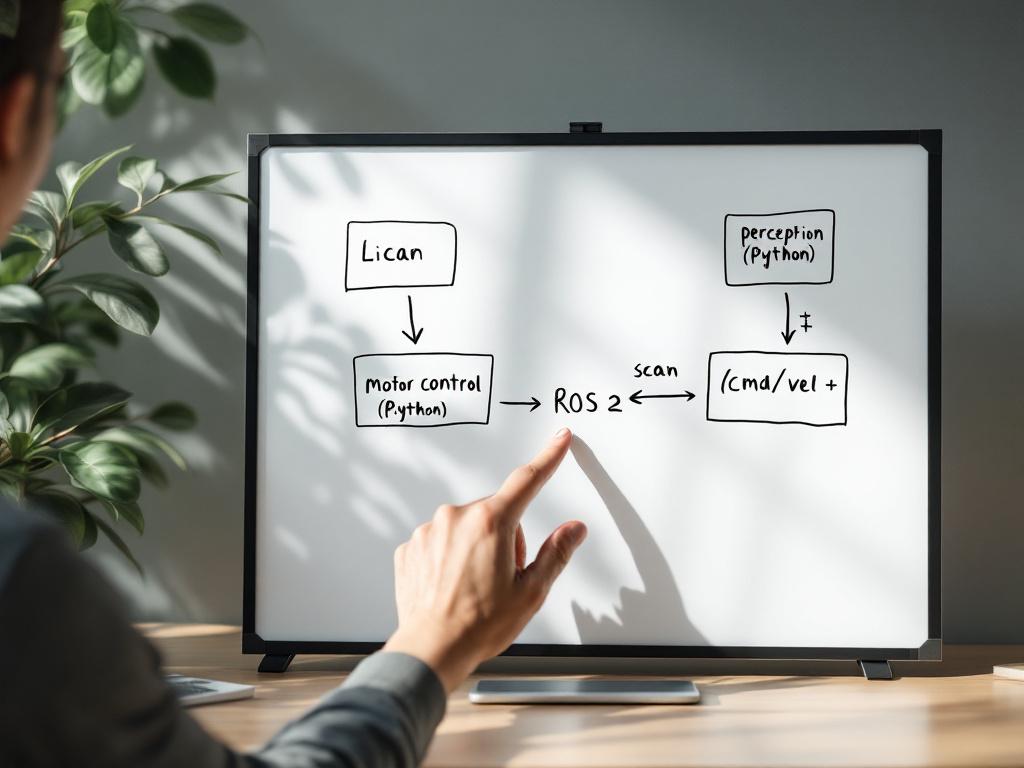
Kill the misconception first: ROS 2 is not a programming language. It is not a replacement for Python or C++. It is not an SDK for any specific robot. It is middleware — a publish/subscribe message bus built on DDS (Data Distribution Service) that lets nodes written in different languages exchange strongly typed messages over a network, on a single machine, or across a fleet.
That definition is dry. The implication is not. Once you have ROS 2 in your stack, a Python perception node can publish a geometry_msgs/Twist and a C++ motor controller written by someone you've never met can subscribe to it — and neither has to know the other exists. Your LiDAR driver is replaceable. Your planner is replaceable. The hardware abstraction is real, not aspirational.
Why ROS 2 and not ROS 1. ROS 1 is end-of-life. The reasons it died are not nostalgic — they are structural. ROS 1 had no native security framework, no real-time scheduling support, and a single-master architecture that did not scale across robots. ROS 2 supports DDS-Security (mandatory data encryption is available out of the box), real-time scheduling under PREEMPT_RT, multi-robot DDS domains, and lifecycle-managed nodes. NIST's security analysis of ROS 2 documents that ROS 2 supports mandatory data encryption while ROS 1 has no native security framework — meaning every ROS 1 network was, by default, a flat broadcast domain to anything that could reach it.
Adoption tracks the security and scalability story. According to the Open Robotics Annual Report 2025 (vendor source — Open Robotics maintains ROS 2), ROS 2 adoption grew 220% from 2022 to 2025 while ROS 1 declined 37%, and 89% of new industrial deployments now choose ROS 2.
What ROS 2 actually gives you. Typed messages with versioned schemas. Services (request/response). Actions (long-running goals with feedback). A parameter server. tf2 for coordinate frame tracking — which alone saves you from writing the worst bugs of your life. Launch files for orchestrating ten nodes from one command. Lifecycle nodes for predictable startup and shutdown. Hardware abstraction through ros2_control so the same controller code drives a Franka, a UR5e, or a custom arm.
The honest cost. ROS 2's modular architecture increases system complexity by roughly 300% over monolithic vendor SDKs, which is why 68% of early-stage robotics startups abandon it for vendor-specific SDKs in their first eighteen months, according to a Bessemer Venture Partners analysis (vendor source — Bessemer is a VC firm with a robotics portfolio). This is not FUD. It is a real tradeoff: ROS 2 trades short-term velocity for long-term composability. A team racing to a demo in eight weeks will ship faster on a Franka FCI Python wrapper. A team building a product that will integrate three different arms over two years will pay for that vendor-SDK speed at month nine.
ROS 2 is the cost of doing robotics at scale. Avoid it for a single-arm demo. Embrace it the moment you have two robots or a fleet.
When to skip ROS 2. Single-purpose demos with a hard deadline. One arm, one sensor, one behavior. Sub-week prototypes. Use the vendor SDK and accept the lock-in honestly.
When to commit to ROS 2. The moment you have two robots. Multi-sensor fusion. Any expectation that hardware will swap without rewriting application code. Any safety-critical deployment that needs DDS-Security profiles. Any team larger than two engineers, because ROS 2's interface contracts are how you let people work in parallel without stepping on each other.
David Anderson, IEEE Robotics Ethics Committee Chair, frames the security argument in IEEE Spectrum: "Security-through-obscurity killed ROS 1. ROS 2's mandatory security profiles aren't bureaucratic overhead — they prevent your coffee-fetching robot from becoming a corporate espionage tool." If you are building anything that will sit on a corporate or factory network, that sentence is the whole argument.
OpenKinematics' cap-x framework and OpenBrain edge stack run on top of ROS 2 — they do not replace it. They add the RL training, real-to-sim LiDAR capture, and one-click deployment layers that ROS 2 deliberately does not provide. ROS 2 is the bus; cap-x is what rides on it.
Your Starting Path by Scenario — A Decision Matrix for Five Common Teams
Generic advice fails because it averages across teams that have nothing in common. A hobbyist with a Jetson Nano and a Unitree Go2 is not solving the same problem as a Series A startup with three engineers and a Franka. Match your situation to one of the five rows below.
| Team Profile | Entry Language | First-Skill Timeline | Core Libraries | Hardware Floor |
|---|---|---|---|---|
| Solo Hobbyist Quadruped Builder | Python + rclpy | 6–8 weeks | PyBullet, rclpy, OpenCV | Jetson Nano / Kinematics Mini ($1,499) |
| Funded Startup ($2M, 3 engineers) | Python → C++ hybrid | 10–14 weeks | ROS 2, MoveIt 2, Stable Baselines3 | Kinematics Max + 1 manipulator |
| Enterprise Manipulator Fleet | ROS 2 + cap-x abstraction | 4–6 weeks per skill | ros2_control, MoveIt 2, OpenBrain | Industrial Jetson T4000/T5000 |
| Academic ROS 2 Lab | Python + C++ (full stack) | 1 semester | rclpy, rclcpp, Gazebo Ignition, tf2 | TurtleBot4 or Franka research arm |
| Integrator on Off-the-Shelf Platforms | Vendor SDK + Python wrappers | 2–4 weeks | UR RTDE, Franka FCI, ROS 2 bridge | UR5e / Franka / Unitree Go2 |
Timelines assume one full-time engineer. Halve the team and double the dates. Add a non-trivial sensor and add two weeks per sensor. These numbers are conservative for a reason — the dominant cost in beginner robotics is not coding speed but integration overhead. According to IEEE Robotics & Automation Letters, hardware integration consumes 42% of beginner robotics programming time versus 28% for algorithm development. The matrix above picks paths that minimize glue code, not paths that maximize feature lists.
The Solo Hobbyist row is the most likely to skip ROS 2 initially and the most likely to regret it at month four. The temptation is real — running a Unitree Go2 with the vendor Python SDK works on day one, and you can teach yourself a trot gait by Sunday. But the moment you add a second sensor (a USB camera for visual servoing), or want to record a rosbag to debug a fall, or decide to swap to a different quadruped platform, the SDK-only path collapses. Pay the ROS 2 tax in Week 2, not Month 4.
The Funded Startup row is where most teams over-engineer. With $2M in the bank and three engineers, the instinct is to build a custom RL training pipeline from scratch. Don't. The 10–14 week timeline assumes you use Stable Baselines3 for policy training and MoveIt 2 for motion planning rather than writing either from scratch. Custom solutions are the right call when you have a moat thesis around the algorithm. Otherwise they are a tax.
The Enterprise Manipulator Fleet row is where pre-trained RL policies plus real-to-sim LiDAR scanning collapse the timeline from six months to under a week per skill. Hand-coding reward functions and tuning networks is a six-month exercise; loading a pre-trained pick-and-place policy, capturing your warehouse with a LiDAR scan, training in cloud sim against the captured environment, and deploying to an industrial Jetson T5000 is a four-to-six-week exercise. This is the row where OpenKinematics' abstraction was designed to cut the most time.
The Academic ROS 2 Lab row is the only one that justifies learning the full stack at depth from day one — because the deliverable is a thesis or a paper, not a deployed product. A semester of paired Python and C++ work on a TurtleBot4 produces engineers who can read any robotics codebase. That is the right outcome when the goal is publication and graduate skill development.
The Integrator row is the fastest path to revenue and the slowest path to differentiation. Vendor SDKs (UR's RTDE, Franka's FCI) get you to a working palletizing demo in two weeks. They also lock you into one OEM's pricing power. Use the vendor SDK to win the first contract, then move to ROS 2 to win the second.
The Robotics Libraries You'll Actually Use (Grouped by Job)
There are roughly 400 libraries cataloged in the ROS 2 index. You need fifteen of them. The list below is grouped by job — install only what your current week requires.

For sensor I/O. Use the standard ROS 2 sensor driver packages (usb_cam, rplidar_ros, imu_tools) before writing anything custom — they handle the timestamp synchronization and frame_id discipline that you will otherwise forget. PySerial covers low-level UART for custom microcontrollers. Paho-MQTT handles IoT-style telemetry when you need to publish robot health to a fleet dashboard outside the ROS 2 domain.
For physics simulation. Gazebo Ignition is the production choice: ROS 2-native, high-fidelity, and the simulator that gives you the 92% physical-accuracy number cited earlier. PyBullet is the prototyping choice: pure Python, fast iteration, lower fidelity but excellent for early policy sketching. MuJoCo is the research choice for RL training: contact dynamics that are state-of-the-art and now open-source under DeepMind. Pick Gazebo for sim-to-real transfer. Pick PyBullet for the first week. Pick MuJoCo when you are training a policy that depends on rich contact.
For kinematics and motion planning. MoveIt 2 is the full motion-planning stack on ROS 2 — collision checking, trajectory optimization, multiple planners (RRT*, CHOMP, STOMP). IKPy is a lightweight inverse kinematics library in pure Python, good for early experimentation and for cases where MoveIt 2 is overkill. Eigen is the C++ linear algebra library that underlies essentially every serious robotics codebase; if you write C++ for robotics, you will write Eigen.
For perception. OpenCV is the default for classical computer vision — it has Python and C++ bindings that share the same underlying optimized routines. YOLOv8 (via Ultralytics) is the current go-to for object detection with PyTorch inference. The image_transport ROS 2 package handles compressed image streaming so you don't saturate your network publishing raw camera frames at 30 Hz.
For reinforcement learning. Stable Baselines3 provides PyTorch-based implementations of PPO, SAC, and TD3 — the algorithms you will actually use, not the algorithms in last year's paper. NVIDIA Isaac Lab gives you GPU-accelerated training at thousands of parallel environments. If your goal is a deployed policy rather than a paper, OpenKinematics' pretrained policies and real-to-sim LiDAR pipeline skip the months spent hand-tuning reward shaping and network architectures — useful when the deliverable is a working robot, less useful when the deliverable is a contribution to the RL literature.
Each library you install adds dependency weight. The 42% integration-time penalty from IEEE RAL is what happens when you install all fifteen on day one. Add libraries the week you need them, not before.
The Five Traps That Stall Beginner Robotics Programmers
Setup is not the work before the real work. It is 20% of robotics programming and the difference between a team that ships and one that rewrites.
These traps are not generic FAQ. They are the patterns documented in the research above, paired with the fix that gets you out.
1. Learning C++ and ROS 2 simultaneously. Both have steep learning curves. Learning them together means when something breaks at 2 AM, you cannot tell whether the bug is in your C++ memory management, your CMake configuration, your ROS 2 message types, or your DDS QoS settings. The cost is typically four to six weeks of zero progress while you bounce between four documentation sites. Fix: Python plus ROS 2 first for four to six weeks until you can read a topic graph from memory and write a service client without StackOverflow. Then introduce C++ only for the hot paths you identified by profiling.
2. Skipping simulation and going straight to hardware. Hardware crashes cost four-figure repair bills — a Franka link replacement is well into five figures. Gazebo Ignition gets you 92% of physical accuracy at zero hardware risk. The cost of this trap is one stripped gearbox, one bent end-effector, or one quadruped with a snapped cable. Fix: every new behavior runs in simulation for at least one full day before commanding a real motor, with the gain values you intend to use on hardware. No exceptions for "simple" behaviors — the simple ones are where you forget to clamp output torque.
3. Picking ROS 1 in 2025. ROS 1 reached end-of-life in 2025 with Noetic's final release. The community is on ROS 2. New library development is on ROS 2. Security frameworks (DDS-Security) only exist on ROS 2. The migration cost from ROS 1 to ROS 2 is typically six to twelve weeks for a non-trivial codebase. Fix: start on Humble or Jazzy LTS. If a tutorial you find references ROS 1, close the tab and find a newer one.
4. Under-budgeting toolchain setup. Docker, colcon, rosdep, package versioning, GPU driver matching, CUDA-cuDNN alignment, Ubuntu kernel patches for PREEMPT_RT — none of this is glamorous. All of it is two to three weeks of work the first time. This is the trap that produces the 63% project abandonment rate. Fix: treat Week 1 of any robotics project as "toolchain and dev environment" with no expectation of robot behavior. Containerize early. Document every apt-get and pip install in a Dockerfile so the second engineer onboards in an hour instead of a week.
5. Assuming one language covers everything. This is the Python-first reader's specific risk and the C++-first reader's mirror risk. The Python-first trap: you build a fluent set of library calls without understanding torque control, singularities, or workspace limits, and your robot destroys itself the first time it operates outside the tutorial conditions. The C++-first trap: you build a beautiful real-time controller and have no way to orchestrate behavior, so the robot has perfect motor control and no idea what to do. Dr. Matthew Piccoli at UL Solutions puts it sharply: "Python-first approaches create dangerous competence illusions — beginners master library calls without understanding torque control or singularities, leading to hardware destruction when scaling beyond tutorials." Fix: learn one layer deeply before adding the next, but plan from week one for all three layers to exist.
There is a unifying pattern in these five traps. Each one is a version of the same mistake: optimizing for the appearance of progress instead of for the foundation that makes progress sustainable. Writing your first behavior tree in Week 1 feels like progress. Spending Week 1 building a containerized dev environment with a working colcon workspace and a rosbag of test sensor data feels like overhead. The team that ships at month six is the team that took Week 1 seriously.
The 20% rule is honest. About a fifth of your time on any robotics project will be toolchain — dependency resolution, version pinning, driver updates, simulator setup, deployment scripts. This does not decrease with seniority. It changes character (you start writing the Dockerfiles instead of debugging them) but it does not go away. Plan for it. Schedule it. Pay engineers for it. The teams that pretend toolchain is not real work are the teams that rewrite their stack twice.
Your 30-Day Robotics Programming Sprint
Execute this from Monday of next week. Every item references a section above so you can re-read context without re-reading content. The sprint assumes one engineer working full-time, a Jetson-class compute target, and a robot platform available by Week 4.

Week 1 — Toolchain and First Node
- Install ROS 2 Humble or Jazzy LTS on Ubuntu 22.04 (minimum 8 GB RAM, 4 cores — see Python-First Skill Ladder)
- Run the
talker/listenertutorial inrclpyuntil you can rewrite it from memory - Set up a Docker dev container with your colcon workspace and commit the Dockerfile
- Read one ROS 2 topic from a real sensor (USB camera with
usb_camor IMU)
Week 2 — Sensor I/O and Visualization
- Publish a
sensor_msgs/Imagetopic from OpenCV in Python with correct timestamps and frame_id - Visualize coordinate frames in RViz2 using tf2 — display at least two frames with a static transform
- Record a rosbag of 5 minutes of sensor data and verify you can play it back into your nodes
Week 3 — Simulation and First Control Loop
- Spin up Gazebo Ignition with a TurtleBot4 or Franka model (see Libraries by Job)
- Write a Python control loop that commands velocity or joint position based on simulated sensor input
- Run the same node and check loop frequency with
ros2 topic hz— confirm it holds your target rate
Week 4 — Hot Path Migration and Hardware Deployment
- Identify your slowest loop with profiling (
ros2 runflags orperf) - Prototype the hot path in C++ using
rclcppwith identical topic interfaces (see C++ Migration) - Deploy the integrated stack to a Jetson-class device — Kinematics Mini, Orin Nano dev kit, or equivalent
- Run a full behavior end-to-end on real hardware with the rosbag from Week 2 as a regression test
Thirty days end with a Python-orchestrated, C++-accelerated, ROS 2-routed robot running a real behavior on real hardware. That is the floor of competence in production robotics programming. It is also further than most people get in six months when they start without a plan.
Three Questions Beginners Ask That Weren't Answered Above
Do I need calculus or control theory to start?
No to start. Yes to scale. You can run a P-controller and a pretrained perception model without solving a differential equation — Week 3 of the sprint above demonstrates this. The moment you need stable behavior on a dynamic system, you will need at minimum a PID controller, basic linear algebra (vectors, matrices, transforms), and an intuitive grasp of what an eigenvalue tells you about stability. The on-ramp that works for most engineers is Russ Tedrake's free MIT manipulation course, which pairs the math with running code from the first lecture. Start it in parallel with Week 3, not before Week 1.
What does the minimum viable hardware cost?
For development compute, a Jetson Orin Nano developer kit runs $499 in reference configuration, or roughly $1,499 for a Kinematics Mini with the OpenBrain edge stack pre-installed and an industrial enclosure. For a target robot platform, a TurtleBot4 lands around $2,000, a Unitree Go2 educational tier is roughly $2,800, and a Franka research arm starts around $15,000. Realistic floor for a first deployment: about $3,500 to $5,000 if you're building a mobile robot, and roughly $17,000 if you're working with a research-grade manipulator. The compute is cheap. The actuators are not.
What if I'm on a closed-source robot like Boston Dynamics Spot?
Spot exposes a gRPC SDK in Python. You write high-level behavior in Python against the SDK and bridge to ROS 2 via the community-maintained spot_ros2 package, which gives you topic interfaces for navigation, the arm, and sensor payloads. You will not get C++ real-time access to the low-level controller — that's locked behind the vendor's proprietary stack and is part of how Boston Dynamics monetizes the platform. According to USITC Report 332-598, industrial OEMs maintain proprietary languages and locked controllers partly to extend service revenue, and Spot is firmly in that pattern. The practical implication: closed-source platforms are fine when you only need behavior-layer control. They are wrong when you need to retune the low-level locomotion controller.