
Getting Started with Robotics as an Adult: Complete Beginner's Guide
Starting Robotics in Your 30s, 40s, or 50s: What Actually Stops Most Adults (And What Doesn't)
You've watched the videos. Maybe you ordered an Arduino kit eighteen months ago and the box is still shrink-wrapped in a drawer. You're stuck in the gap between "this looks genuinely interesting" and "I'll waste $400 and three weekends and end up exactly where I started." If you're considering robotics for adults as a serious hobby — not a passing curiosity — that hesitation is the actual problem to solve, not the technical learning curve.
Three barriers do most of the damage. The first is sunk-cost anxiety: kits look expensive enough that the wrong choice feels permanent. The second is a quiet suspicion that everyone else in the hobby started building line-followers at age twelve and you're showing up to a club where the unwritten rules were established before you arrived. The third is a confused belief that you need to learn electrical engineering, CAD, Python, and ROS in some prerequisite sequence before you're allowed to wire up a motor. None of these barriers are technical. All three are psychological, and all three are wrong.
The barrier to adult robotics isn't intelligence or time — it's the unspoken assumption that you should already know what you're doing before you start.
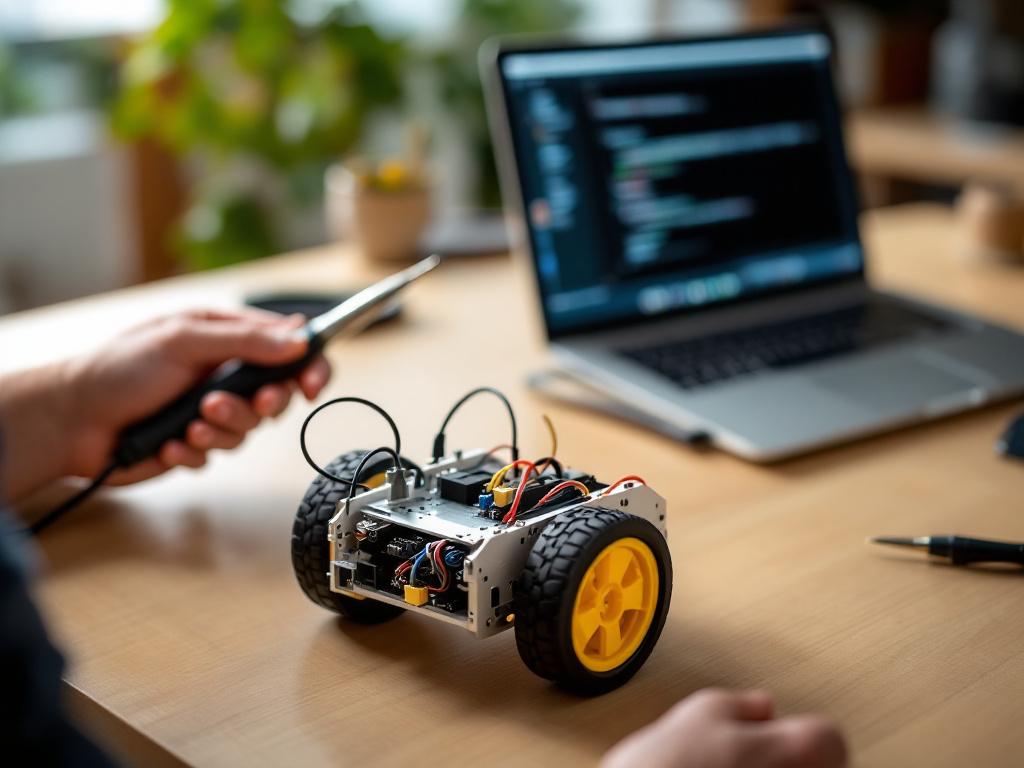
The infrastructure for adults entering robotics today did not exist five years ago. According to the Association for Advancing Automation, MIT xPRO offers a paid Professional Certificate in Robotics and Autonomous Systems aimed at working professionals, A3's NextGen initiative explicitly targets adult learners with industry training pathways, and major industrial integrators including FANUC and ABB run in-house training programs to address adult robot literacy. The assumption that robotics is a youth pipeline is a leftover from a decade ago. The current ecosystem is structured around adults with jobs, evenings, and self-directed budgets.
What follows is a senior-advisor walkthrough: the three honest entry paths, the four mental foundations that actually matter, how to choose a first kit without regret, a realistic 90-day calendar built around 5–7 hours per week, and where to get unstuck when — not if — you hit a wall at 10 PM on a Tuesday.
Table of Contents
- The Adult Advantage — Why Late Starters Out-Debug Teenagers
- Three Entry Paths into Robotics — Kit, Platform, or Competition
- The Four Foundations — What "Knowing Robotics" Actually Means
- Choosing Your First Kit — Documentation, Community, and What Survives Past the Tutorial
- Your First 90 Days — A Realistic Build Calendar for 6 Hours a Week
- Where to Get Unstuck — Resources Curated for Adult Self-Directed Learners
The Adult Advantage — Why Late Starters Out-Debug Teenagers
The imposter feeling has the causality reversed. Adults bring three concrete advantages to robotics that teenagers genuinely do not have, and each of them maps directly to the skill that determines whether a project finishes.
Pre-built debugging instincts. Anyone who has done professional troubleshooting — IT tickets, accounting reconciliation, plumbing a leaking sink, running a project plan through three rounds of stakeholder feedback — has already internalized the core robotics skill: isolating the failing variable. Take a worked example. A wheeled robot drifts left instead of driving straight. The teenager's instinct is often to rebuild the chassis and hope. The adult's instinct, sharpened by years of professional diagnosis, is to ask a structured question: is one motor weaker than the other (electrical), is one wheel loose on its shaft (mechanical), or is the code sending unequal PWM signals to the two motors (software)? That diagnostic tree — electrical, mechanical, software — is roughly 80% of what robotics work actually consists of. You already have it.
Ability to read documentation without resentment. Adult learners tolerate dense PDFs because they've already read insurance policies, employment contracts, lease agreements, and tax instructions. The Arduino reference, the ROS wiki, and a sensor datasheet are easier reading than most legal documents and they are infinitely more rewarding. This sounds trivial. It is the single biggest predictor of who finishes a first project and who gives up. Teenagers skim and copy from YouTube. Adults will, grudgingly, read the manual — and the manual is where the working answer lives.
Self-funding and patience with iteration. Adults can buy the second sensor when the first one fails. They can wait two days for a replacement servo from an online retailer without losing momentum. They can build in 90-minute evening blocks across several weeks rather than four-hour weekend sprints, which actually matches how skill consolidation works in motor and cognitive learning — distributed practice beats massed practice for retention. Teenagers in school robotics clubs build in panicked weekend sprints before competitions. You don't have to.
The honest constraints deserve naming. Most adults have 4–8 hours per week available, not 20. Workspace gets shared with family, partners, or roommates. There's no built-in peer group like a school robotics club to pull you forward through hard weeks. Each constraint has a reasonable answer. Four to eight hours per week is enough if the time is structured rather than scattered — three 90-minute evening sessions beats one chaotic six-hour Saturday. A kitchen table works for any kit smaller than a domestic vacuum robot, and a folding mat protects the surface. The peer-group problem is solved by online communities — Robots Guide lists RobotShop Community, Hackaday.io, Hackster.io, Instructables, and the Stack Exchange Electronics site as the substrate where adult-skewing questions get adult-skewing answers.
Reframe "starting late" honestly: you are starting funded, focused, and self-directed. Those are advantages, not consolations.
Three Entry Paths into Robotics — Kit, Platform, or Competition
Most adults waste their first month because they pick a path that does not match their actual goal. The path choice is not about skill level. It is about what you want at the end. There are three coherent entry paths into robotics for adults, and the wrong one for your situation will cost you weeks of frustration before you realize why nothing is working.
| Path | Best fit for | Typical starting hardware | Hours per week realistic | Primary skill developed |
|---|---|---|---|---|
| Kit-based (Arduino starter, LEGO Mindstorms, VEX IQ, mBot v1.1) | Adults who want a working robot in weeks, not months | Single all-in-one kit | 4–8 | Hardware-software integration, basic electronics |
| Platform-based (Raspberry Pi + ROS, open-source mobile bases) | Adults with coding background or 12+ month horizon | Single-board computer + sensor pack + chassis | 8–15 | Software architecture, computer vision, autonomy |
| Competition / community (FIRST adult mentorship, hackathons, makerspace teams) | Adults who learn faster with deadlines and peers | Shared team hardware | 10–20 | Systems thinking, collaborative engineering |
Two hidden costs do not show up in the marketing material for any of these paths. The first is the documentation tax. Platform-based paths — especially anything involving ROS — require 30–40% of total time reading wikis rather than building. That is not a flaw; it is the nature of working with general-purpose software architectures. If you go in expecting to spend most of your time soldering and you spend most of your time reading installation troubleshooting threads, you will quit. Kit-based paths flip the ratio — most of your time is building, and the documentation is shorter and more focused.
The second hidden cost is community density. Arduino and Raspberry Pi have orders of magnitude more troubleshooting threads on Hackaday.io, Hackster.io, Instructables, and Stack Exchange Electronics than any niche platform, according to Robots Guide. When you get stuck at 10 PM on a Tuesday — and you will — the question is whether your specific error message returns five Google results or five hundred. Density matters more than features. A kit with brilliant hardware and a sparse community is harder to learn from than a mediocre kit with a saturated community.
The crossover rule for most adults: start kit-based even if your long-term goal is platform-based. A kit produces a working robot in weeks, and that working robot is what sustains motivation through the harder learning curve when you graduate to a Raspberry Pi running ROS six months later. The adult who starts directly on ROS without the kit phase has roughly a 50/50 shot of still being engaged in month three. The adult who built a working line-follower first carries that small win into the harder material.
The competition path needs a transparency note. Most adult-friendly competitive robotics is mentorship-side rather than competing-side — adults volunteer with FIRST teams, judge events, or coach rather than build their own competition robots, because the competitive leagues are structured for students. If "competition" appeals to you, the realistic version is mentoring a high-school FIRST team, which is excellent practice and contributes to the community, but it is not the same as competing yourself. Adults who want deadlines and peers without the youth-competition framing should look at hackathons and makerspace project nights instead.
The Four Foundations — What "Knowing Robotics" Actually Means
Most adults overestimate what they need to know before starting. You do not need an electrical engineering degree, a computer science degree, or a mechanical engineering degree. You need four mental models, each acquirable in roughly two to four evenings of focused work. The rest of robotics knowledge accumulates as you build, not before.
- Circuit literacy, not electrical engineering. What you actually need: voltage and current understood through the water-pressure analogy (voltage is pressure, current is flow rate), the reason a motor needs more current than a microcontroller pin can supply (which is why you need a motor driver chip in between), what a pull-up resistor does and why a floating pin is unreliable, and how to read a basic wiring diagram from left to right. Resistor color codes and Ohm's law in its simplest form (V = IR). What you do not need: impedance calculations, PCB design, semiconductor physics, op-amp theory, or anything involving a Smith chart. A focused 30–45 minute YouTube electronics primer covers the working set. The threshold for "enough" is honest and specific: can you wire a sensor to a microcontroller without releasing the magic smoke. That's the bar.
- Mechanical intuition — gear ratios, friction, rigidity. Why a robot wobbles, drifts, or strips a gear under load. Adults consistently underestimate how much of robotics is mechanical, and they underestimate how much of mechanical is just careful observation: is this joint loose, is this gear meshing fully, is this chassis flexing under the weight of the battery pack. Gear ratio math is one fraction — input teeth over output teeth. The torque-versus-speed tradeoff is one sentence: shorter gearing gives you more torque and less speed; taller gearing gives you more speed and less torque. That is the working knowledge for the first two years of the hobby.
You do not need to understand why a microcontroller works. You need to know what happens when you tell it to read a sensor every 100 milliseconds.
- Programming patterns, not a programming language. Four patterns cover roughly 90% of beginner and intermediate robotics code. First: read-sensor-in-a-loop — the main loop runs continuously, reading inputs each cycle. Second: conditional-action-on-threshold — if a sensor value crosses a defined limit, take an action. Third: state machines — the robot is in one of several discrete states (driving, stopped, turning, searching) and transitions between them based on inputs. Fourth: timing and delays — making things happen at intervals or after specific durations. If you understand those four patterns, you can write workable robotics code in any language by reading examples and translating syntax. Languages are interchangeable; patterns transfer. Here is a complete obstacle-avoiding robot in plain English: every 100 ms, read distance sensor; if distance is less than 20 cm, stop motors; otherwise, drive forward. That pseudocode is 80% of the way to working C++ on an Arduino.
- Debugging as a discipline you already have. The robotics-specific version of debugging is structured: when something fails, classify the failure as electrical, mechanical, or software before changing anything. Most adults already do this in professional contexts. The only robotics-specific tax is learning the diagnostic tools — a multimeter for electrical (continuity, voltage, current), a manual rotation test for mechanical (turn the wheel by hand and feel for binding), and serial print statements for software (output variable values to your computer screen so you can watch what the code actually thinks is happening). Three tools. You are not learning a new skill; you are rebranding a skill you already use at work.
These four foundations are roughly 10–15 hours of focused learning, not 10–15 weeks. The mistake is treating them as prerequisites to be completed before building. They are not. They are companions to building. You learn the water-pressure analogy on Tuesday, you wire your first LED on Wednesday, and the analogy makes more sense after the LED works than it did before.
Choosing Your First Kit — Documentation, Community, and What Survives Past the Tutorial
Kit reviews online optimize for first-impressions — unboxing experience, packaging quality, the polish of the included tutorial. Adults need different criteria entirely. The right question is not "how good does this kit feel in week one." The right question is: what does this kit look like in week six, when the included tutorial is finished and you want to build something it didn't show you. Most kits fall apart at week six. A few don't.
Four real selection criteria, in order of weight:
- Documentation depth — does the kit have a real reference manual, or just a glossy quick-start booklet that ends at the last tutorial step?
- Community density — how many troubleshooting threads exist online when you Google your specific error message?
- Expansion ecosystem — can you add third-party sensors, swap motors, attach a camera, plug in a different microcontroller?
- Programming environment ceiling — can you graduate from block-based drag-and-drop programming to text-based code on the same hardware, or do you have to throw the kit away to grow?
| Kit | Programming environment | Expansion ecosystem | Community density | Notes from sources |
|---|---|---|---|---|
| Arduino-based starter kits | C/C++ (text) | Very large — most third-party sensors compatible | Very high | Most-cited entry point in independent guides |
| Raspberry Pi robot kits | Python, C++, ROS | Very large | Very high | Bridges to platform-based path |
| LEGO Mindstorms / SPIKE | Block-based, Python option | Closed LEGO ecosystem | Moderate | Closed parts ecosystem |
| VEX IQ | Block-based, Python, C++ | Closed VEX ecosystem | Moderate | Competition-oriented |
| mBot v1.1 (Makeblock) | Block-based, Arduino-compatible | Moderate, Makeblock-centric | Moderate | Listed for ages 12+ per RobotShop Community |

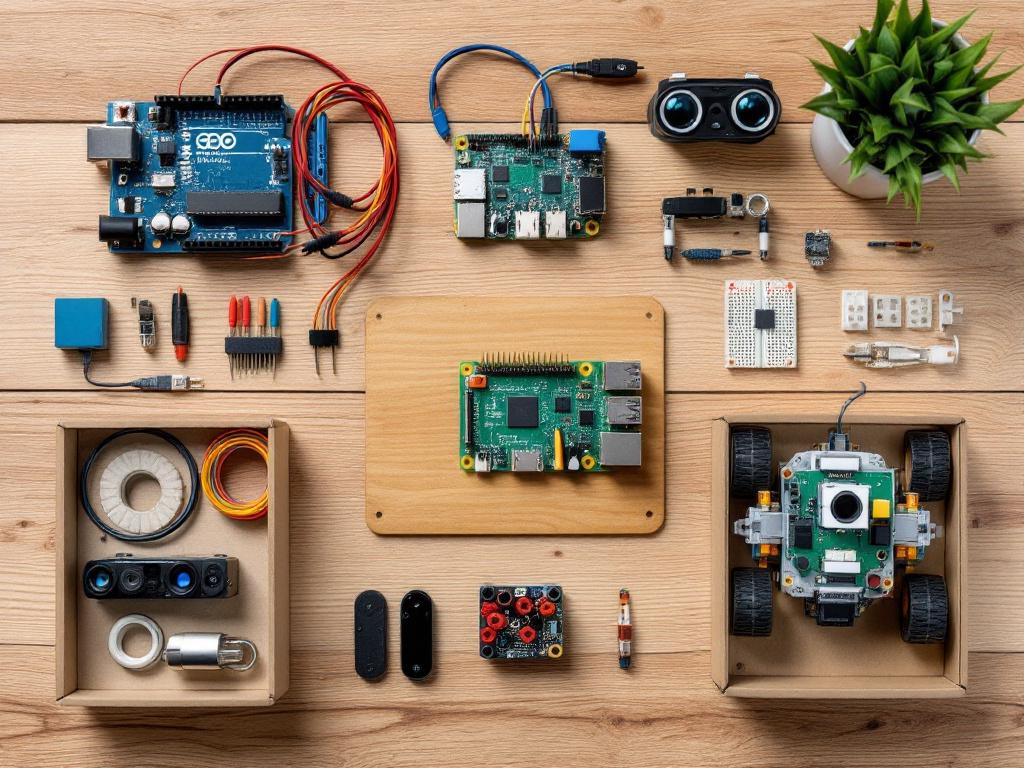
Adults should weight documentation and community at roughly 60% of the decision and "cool factor" at no more than 10%. The cool factor is what gets you to buy. Documentation and community are what get you to build something six weeks later. If you reverse the weighting — and most first-time buyers do — you end up with a beautiful kit you can't extend and a forum that is dead by the time you have a question.
The closed-ecosystem trap deserves its own paragraph. LEGO Mindstorms and VEX IQ produce remarkably smooth first builds. The pieces fit precisely, the tutorials are well-produced, and a working robot rolls off the table by the end of a long Saturday. Both ecosystems also cap your ceiling. You cannot easily attach an arbitrary third-party sensor, you cannot swap in a different microcontroller, and the community is smaller because it is fragmented across the official platform's own channels rather than the broader maker ecosystem. Arduino and Raspberry Pi are messier on day one — there are loose components, a breadboard you have to wire correctly, and a steeper initial learning curve — and they are unbounded on day 90. For most adults whose stated goal is a long-term hobby, the messier start is the better long-term investment.
How to audit a kit before you buy it, in roughly 20 minutes. Search "[kit name] not working" on Google and count the troubleshooting threads — high counts mean a healthy support ecosystem, not a defective product. Search the kit's subreddit if one exists and check post frequency in the last 30 days; a dead subreddit predicts dead support. Read three negative Amazon reviews and look for pattern complaints versus one-off issues. This audit prevents the majority of regret purchases. On price: avoid quoting yourself a specific dollar figure based on someone else's six-month-old blog post. Check current retail pricing at the time you buy, since kits go on sale, restock at higher prices, and substitute components frequently.
Your First 90 Days — A Realistic Build Calendar for 6 Hours a Week
Ninety days is a realistic horizon for an adult investing 5–7 hours per week. The output at day 90 is not a humanoid robot, a self-driving car, or a robotic arm that pours coffee. The output at day 90 is one original project that does one specific thing reliably. That is the correct expectation, and it is the actual milestone of competence — being able to define a small problem and make hardware solve it.
Phase 1 — Weeks 1–2: Assemble and run unmodified
Target: roughly 8–12 hours total. Build the kit's tutorial robot exactly as specified. Run the included example program without changing a line. Resist all urges to modify, improve, or skip steps. The goal of this phase is a felt understanding of the hardware-code loop — what the cable looks like, where the battery connects, how the program gets onto the microcontroller, what the LED blinks mean. Most adults skip this phase and pay for it in week three when they cannot tell whether a problem is caused by their modification or by a build error from earlier. The most common failure point in this phase is wiring a sensor backwards. The diagnostic sequence is: smell test (literal — burned electronics smell), then continuity check with a multimeter, then re-read the wiring diagram with fresh eyes.
Phase 2 — Weeks 3–4: Change exactly one variable
Target: roughly 10–14 hours total. Pick one parameter and modify it. Motor speed. Sensor threshold. Loop timing. Motor direction. Observe the result carefully. Change it back. Change a second variable. This is calibration discipline — the foundation of all later debugging — and it is built by deliberate practice, not by reading about it. Do not redesign the robot during this phase. The most common failure point is changing three things at once and being unable to attribute the new behavior to any specific change. Discipline here is the scientific method applied to hardware: one variable, one observation, one decision.
Phase 3 — Weeks 5–8: Add a sensor or behavior
Target: roughly 16–22 hours total. Now you add. A second distance sensor for side-detection. An LED that signals which state the robot is in. A buzzer that sounds on obstacle. A button input that toggles modes. Write the code from scratch — no copy-paste from the tutorial. This is where the first real wall arrives, and it almost always looks the same: the code compiles cleanly but the behavior is wrong. Nothing crashes, nothing errors — the robot just does the wrong thing.
The wall is the lesson, not an obstacle to the lesson. Add serial print statements to your code, watch the output stream on your laptop while the robot runs, and find the gap between what you intended the code to say and what it actually says. Most adults who quit, quit somewhere in this phase. Most adults who push through this wall finish the 90 days. The difference between the two groups is almost entirely about whether they treat the bug as a personal failure or as the actual content of the lesson.
Phase 4 — Weeks 9–12: One original project, end to end
Target: roughly 18–25 hours total. Define a small project in one sentence, on paper, before you touch any hardware. Examples that are appropriately scoped: "a robot that follows a black line on a white floor," "a robot that drives forward until it sees an obstacle and turns ninety degrees right," "a robot that responds to a button press by moving forward for three seconds and stopping." Build the project. It will fail at least three times before it works. Each failure narrows the problem space — the sensor sees the line but the motors respond too slowly, then the motors are calibrated but the line detection fails on glossy floor sections, then everything works but the robot oscillates because the steering correction is too aggressive.
At day 90, you will have a working original robot. More importantly, you will have the diagnostic reflex that converts every future robotics problem into a tractable one — electrical, mechanical, or software, isolate the variable, measure, decide.
A short list of realistic failure moments and what they actually mean: a loose wire (90% of intermittent problems), a swapped pin assignment in code (your sensor is reading from the wrong input), polarity reversal on a motor (your robot drives backward but otherwise works), a missing pull-up resistor on a digital input (readings are unreliable), an off-by-one error in loop timing (the behavior is almost right but lagging). None of these are signs you should quit. All of them are normal entries in the working roboticist's daily logbook.
Where to Get Unstuck — Resources Curated for Adult Self-Directed Learners
Most robotics resources online are aimed at one of three audiences: kids, classroom teachers, or expert engineers. Adult self-directed learners need a narrower middle band — content that respects your reading speed, doesn't assume a teaching assistant is available, and isn't optimized for selling you the next kit. The short list below is curated for that middle band.
- Long-form documentation worth reading slowly. The Arduino reference, the Raspberry Pi documentation, and the ROS wiki are all written for adults and reward careful reading. The PDF you ignored in week one becomes essential reading in week six, when you finally have specific questions that the documentation answers directly. Budget 2–3 hours across the first month to read the official documentation cover-to-cover for whatever platform you chose. This sounds like overkill until you realize it shortens every future debugging session by roughly half.
- Community forums where adult questions are welcome. RobotShop Community, Hackaday.io, Hackster.io, Instructables, and the Stack Exchange Electronics site are all adult-skewing and tolerant of beginner questions if you show your work. Show what you tried, what you observed, what you expected, and what error you got. The r/robotics subreddit on Reddit is broader and more useful for orientation questions ("which path should I take") than for specific debugging ("why does my code do X"). Discord servers attached to specific kits are often the fastest channel for real-time stuck moments — a five-minute conversation in Discord beats a three-day forum thread for live problems.
- Structured courses for the platform-curious. MIT OpenCourseWare, the QUT Robot Academy, Stanford Engineering Everywhere, and edX offer free robotics fundamentals, according to Robots Guide. For paid, professional-grade learning, MIT xPRO offers an online Professional Certificate in Robotics and Autonomous Systems that covers fundamentals, perception, planning, control, and AI applications in robotics. Coursera and Udacity host robotics specializations of varying quality — vet by reading the syllabus carefully and checking recent reviews from the last six months before paying. Older robotics courses age quickly because the tooling shifts.
- Industry-aligned training programs. The Association for Advancing Automation operates the A3 NextGen initiative, which provides industry training programs and career pathways relevant to working adults. FANUC and ABB run in-house training programs targeting adult robot literacy, particularly for adults whose hobby intent overlaps with career-pivot intent toward industrial automation. These are most relevant if you can imagine working in robotics professionally within the next five years; if your goal is purely hobby, the free university coursework above is the better starting point.
- In-person makerspaces. Search for a local makerspace, hackerspace, or Fab Lab within a reasonable drive. One evening per month with someone who has already built what you are trying to build will replace twenty hours of solo searching. Adult learners consistently underrate the in-person option, often because it feels like admitting you cannot figure it out alone. The opposite is true: the people at makerspaces are there because they like helping. Bring your stuck project, not a polished question. Show what is happening physically, not what you think might theoretically be wrong.
The resources above will not learn the material for you. What they will do is shorten the time between getting stuck and getting unstuck — and that interval, measured across an entire 90-day project arc, is the only metric that actually determines whether you finish your first robot or whether the kit goes back into the drawer.